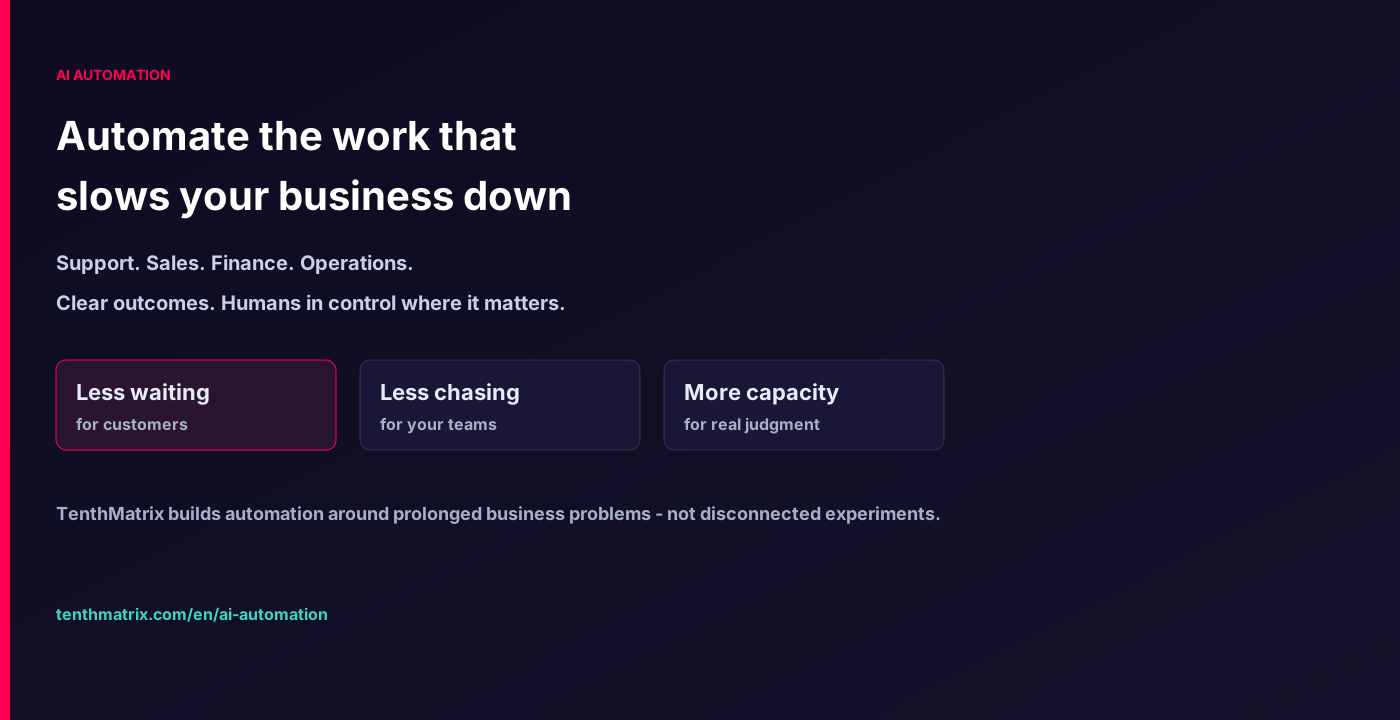
AI Automation
Automate the work that slows your business down
Support, sales, finance, and operations — redesigned around the pains customers and teams feel every week
We map the prolonged problems that burn time and trust, then design AI-assisted workflows with clear outcomes and human review where judgment matters. Less busywork. Faster service. Measurable capacity back.
Automation that starts from business pain — not from a demo
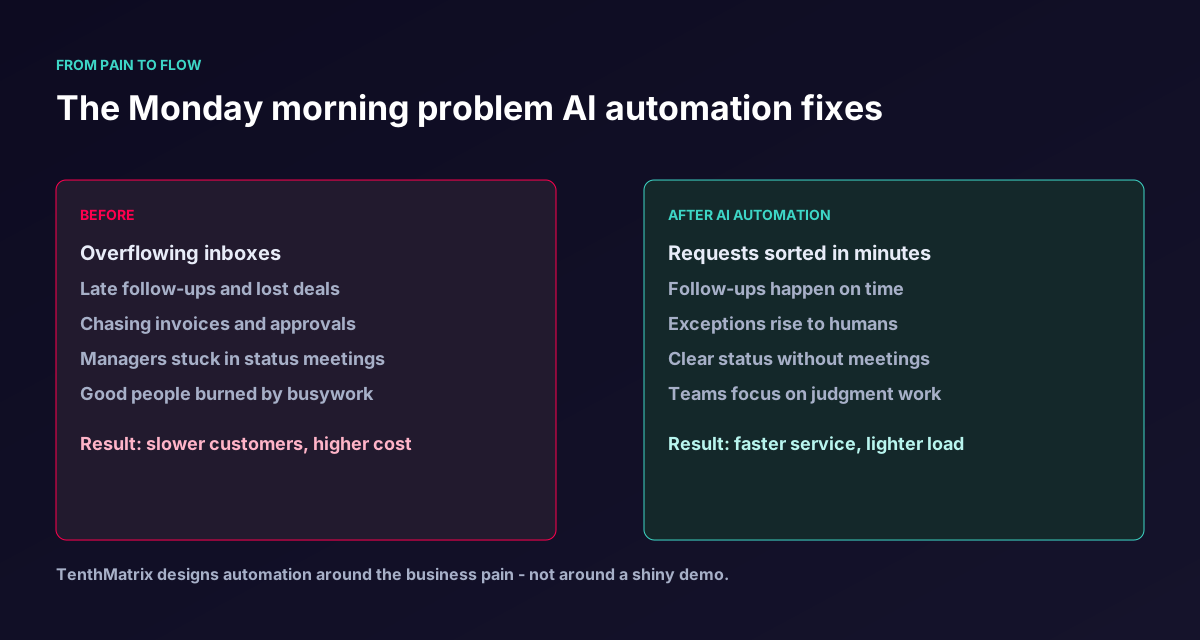
Most teams do not need more tools. They need fewer Monday morning fires: inboxes that never empty, deals that go cold, invoices that wait, approvals that stall delivery, and handoffs that restart from scratch. AI automation at TenthMatrix is designed around those prolonged issues — with diagrams your stakeholders can recognise.
What customers and teams actually notice
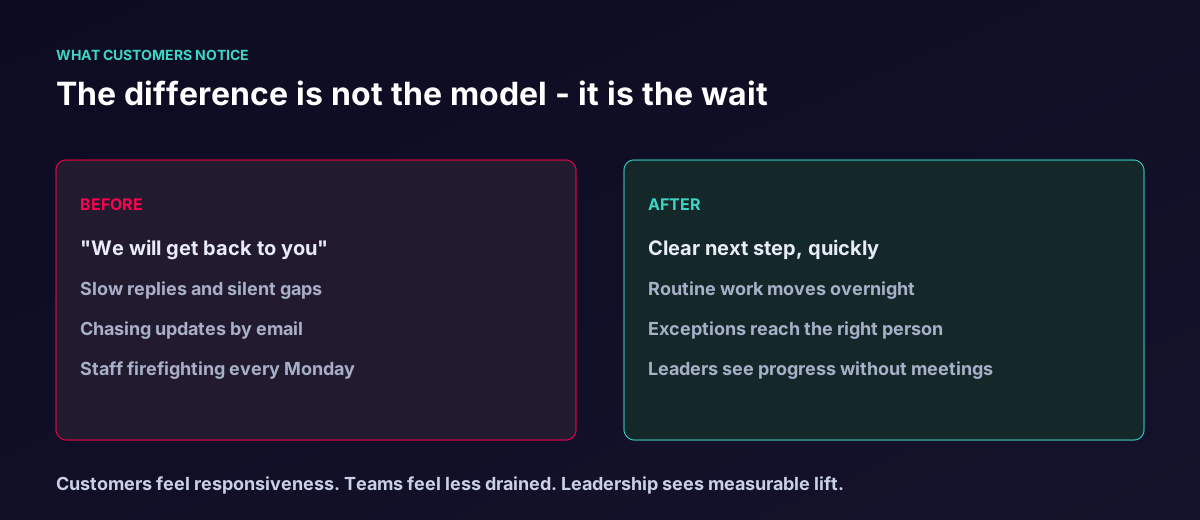
The difference is not a flashy model name. It is shorter waits, clearer next steps, and less emotional labour on routine work.
Prolonged pains we hear every week
If any of these sound familiar, you already know where automation should start.
Queues grow faster than headcount
Support and service volumes rise, but adding people alone never catches up — quality slips and evenings disappear.
Follow-ups fall through the cracks
Promising leads cool off because nobody had a clean reminder path when the day got busy.
Cash and approvals stall delivery
Invoices wait, purchase requests sit in limbo, and projects pause for decisions that should take minutes.
Handoffs restart from scratch
Shift changes, holidays, and new joiners lose context because knowledge lives in one person's head.
Managers live in status meetings
Progress is invisible until someone builds another slide deck — so leadership spends hours chasing updates.
Good people burn out on busywork
Specialists spend their best hours sorting, chasing, and copy-pasting instead of using judgment.
Workflows that turn pain into clearer flow
Each diagram below shows a prolonged business problem, how AI helps, where humans stay in control, and the result customers and teams feel.
Customer support
Rescue the inbox without losing the human touch
- The prolonged pain
- Queues grow faster than headcount. Customers wait, staff stay late, and quality slips under pressure.
- How AI helps
- AI sorts urgency and topic, drafts ready replies for routine asks, and routes sensitive cases to a specialist with context already prepared.
- Business result
- Shorter wait times, calmer teams, and fewer lost customers — without turning every reply into a robot voice.
- Customer asks by email, chat, or form
- AI sorts topic, urgency, and tone
- Simple cases move on a ready reply path
- Sensitive cases reach a human with a prepared brief
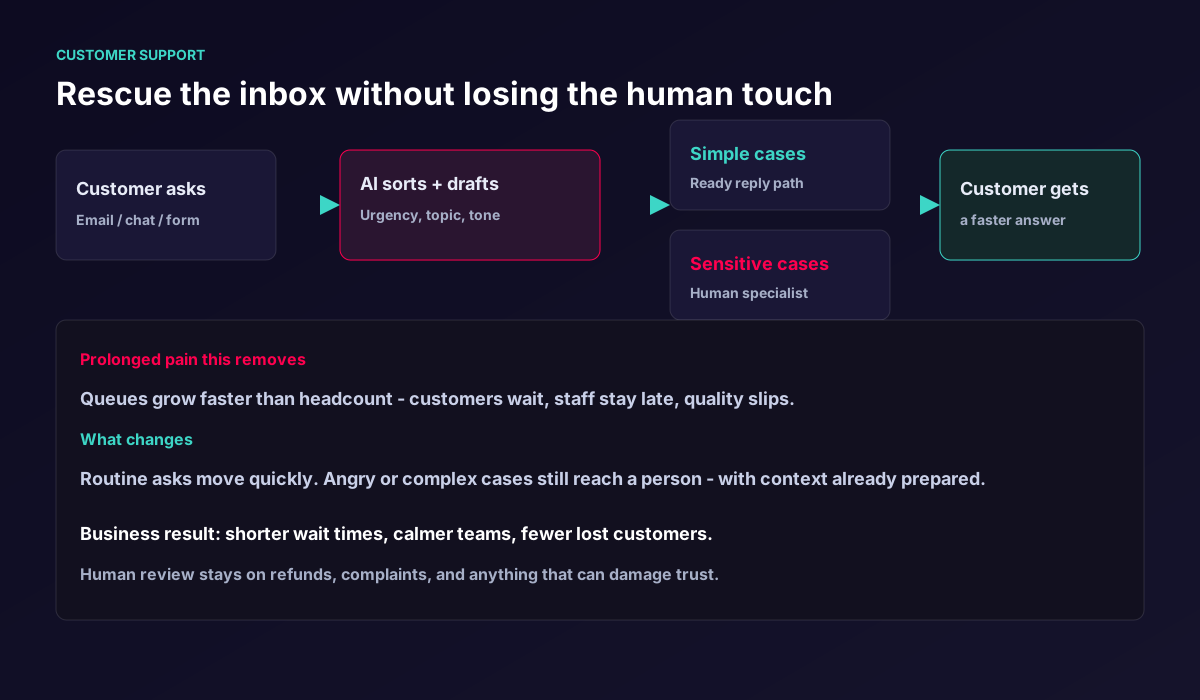
Support workflow: sort and draft with AI, escalate with people where trust is on the line Sales and pipeline
Stop losing deals to slow follow-up
- The prolonged pain
- Leads arrive while the team is busy. By the time someone replies, interest has cooled and competitors have moved.
- How AI helps
- AI qualifies the lead, drafts a timely follow-up, and nudges the right owner — so promising conversations do not die in silence.
- Business result
- More conversations recover before they go cold, without turning sales into unsolicited spam.
- Lead arrives from web, event, or referral
- AI scores fit and urgency
- Timely follow-up is drafted and scheduled
- Owner steps in for judgment and negotiation
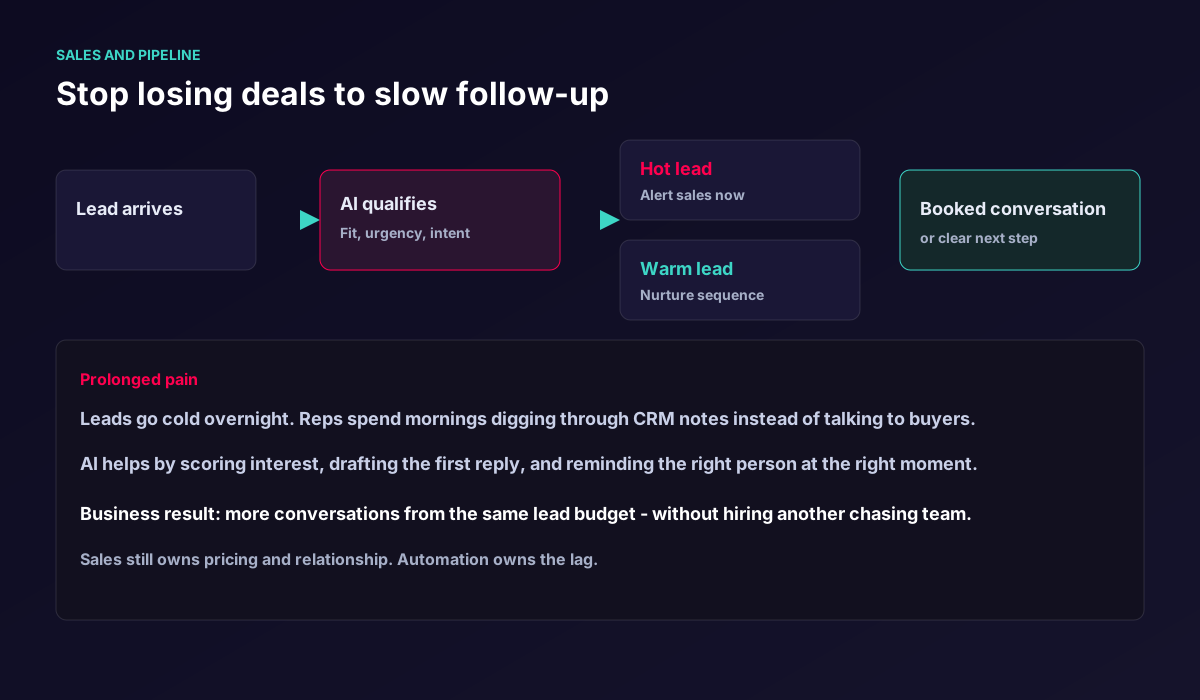
Sales workflow: recover follow-ups before interest fades Finance and cashflow
Get paid faster without awkward chasing
- The prolonged pain
- Late payments become a weekly fire drill. Finance teams chase politely, then urgently, then desperately.
- How AI helps
- AI checks invoice status, sends timely reminders, flags disputes early, and only involves people when judgment is needed.
- Business result
- Healthier cashflow and less emotional labour on routine collections.
- Invoice becomes due
- AI checks paid, overdue, or dispute status
- Friendly reminders go out on schedule
- Exceptions escalate to finance with context
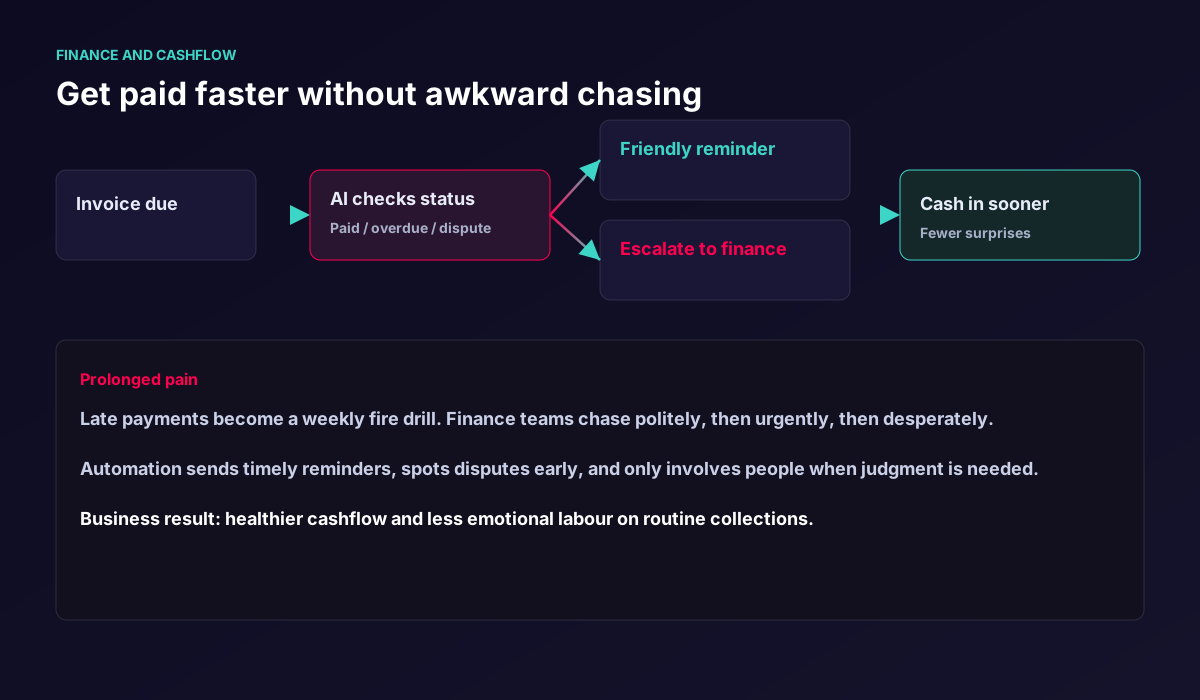
Finance workflow: timely reminders, early dispute spotting, humans on exceptions Content and marketing
Move campaigns out of review limbo
- The prolonged pain
- Campaigns stall in email threads. Deadlines slip. Creative energy dies in version chaos.
- How AI helps
- AI prepares strong first drafts and a clear review pack so brand and legal can decide quickly — people still decide what ships.
- Business result
- More launches per quarter with the same team size.
- Brief arrives
- AI drafts options and a checklist
- Human approves brand and legal
- Publish on time
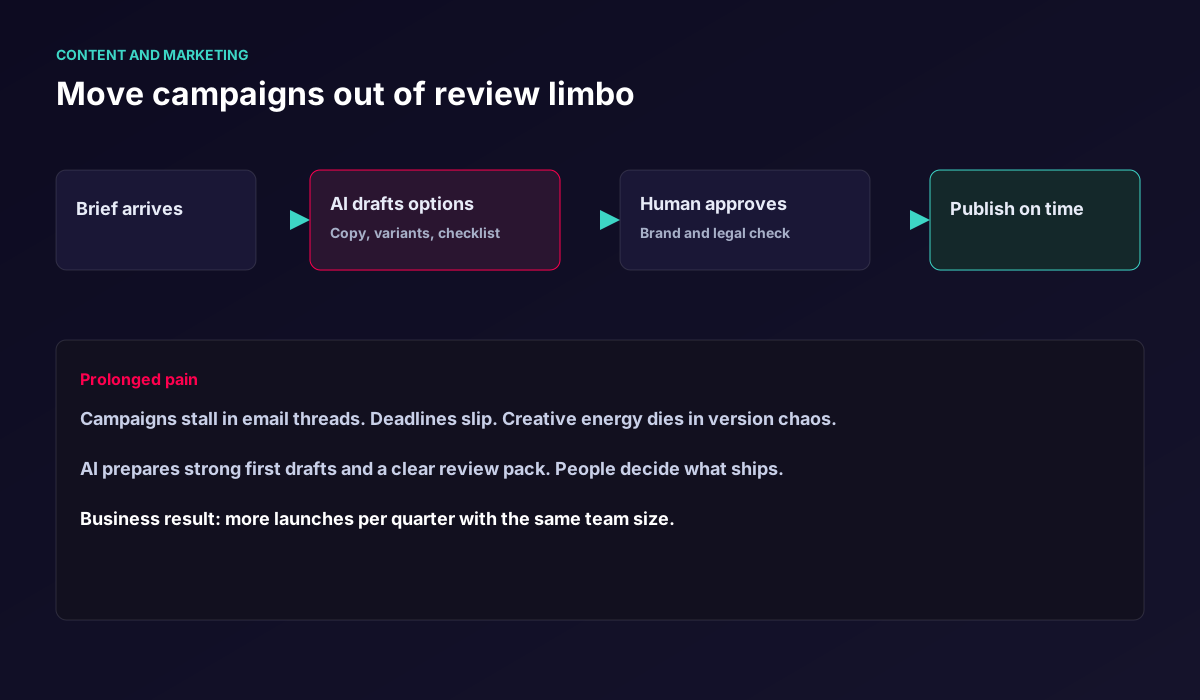
Content workflow: drafts and checklists from AI, final say from people Operations and HR
Make onboarding feel organised again
- The prolonged pain
- New joiners wait on access. Managers chase IT. Productivity starts late and morale dips in the first weeks.
- How AI helps
- AI keeps the onboarding checklist moving across accounts, kit, and training — and escalates only the stuck items.
- Business result
- Faster time-to-productivity and fewer chaotic first weeks.
- New starter is confirmed
- AI runs the checklist across teams
- Managers are notified of progress
- Gaps are flagged early so day one is ready
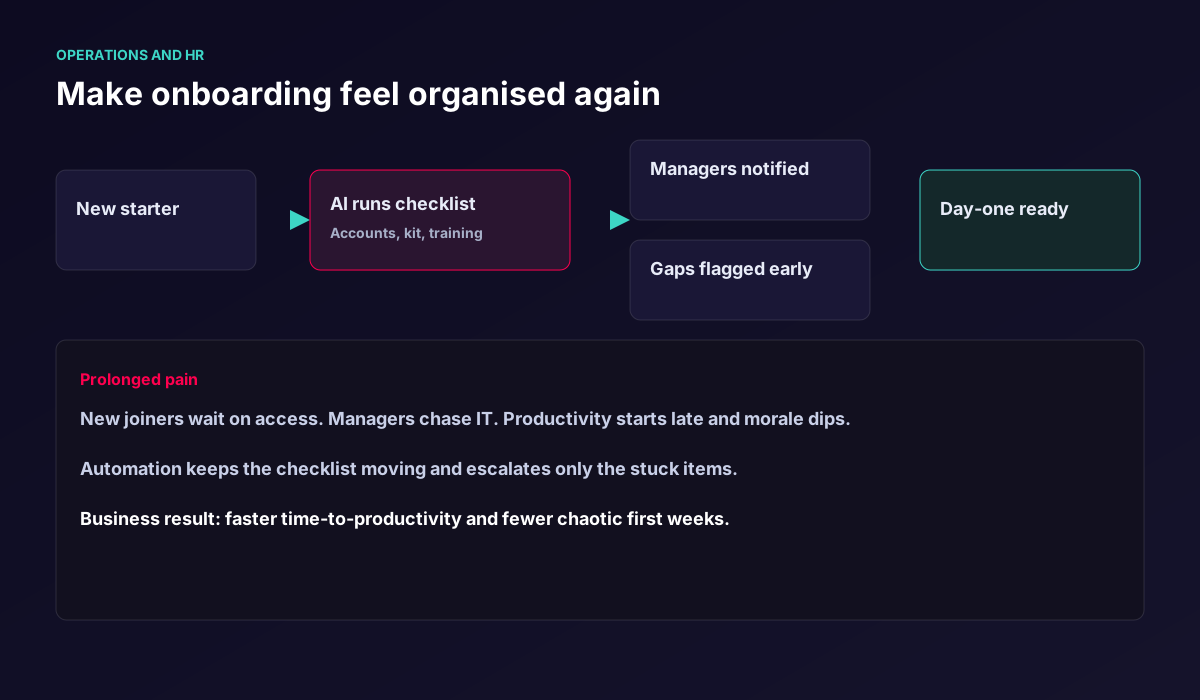
Ops and HR workflow: keep onboarding moving without endless chasing Customer trust
Stop angry tickets becoming brand damage
- The prolonged pain
- Serious complaints sit in a shared inbox while context is hunted across tools — and every delay raises the risk of a public escalation.
- How AI helps
- AI scores tone, history, and customer value, prepares a recovery brief, and routes high-risk cases to a senior owner immediately.
- Business result
- Fewer public escalations and calmer recovery conversations — with goodwill still decided by people.
- Complaint arrives
- AI scores risk and gathers history
- Low-risk cases get a guided reply path
- High-risk cases reach a senior owner with a brief
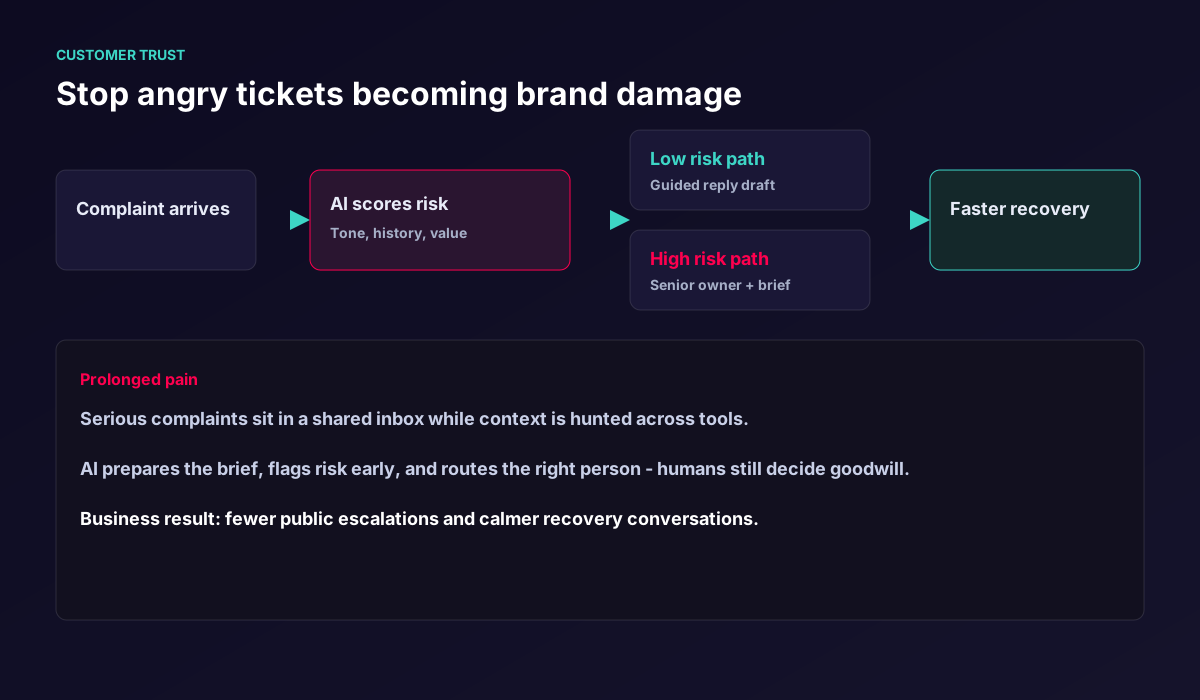
Trust workflow: flag risk early, prepare the brief, keep goodwill decisions human Procurement and spend
Unstick approvals that stall delivery
- The prolonged pain
- Projects wait days for small purchases while every request looks the same in a long queue.
- How AI helps
- AI checks policy, budget, and vendor rules, fast-tracks within-policy requests, and gives decision makers a one-screen summary for exceptions.
- Business result
- Shorter cycle times without weakening spend control.
- Purchase request is raised
- AI checks policy and limits
- Within-policy items fast-track
- Exceptions reach an owner with a clear summary
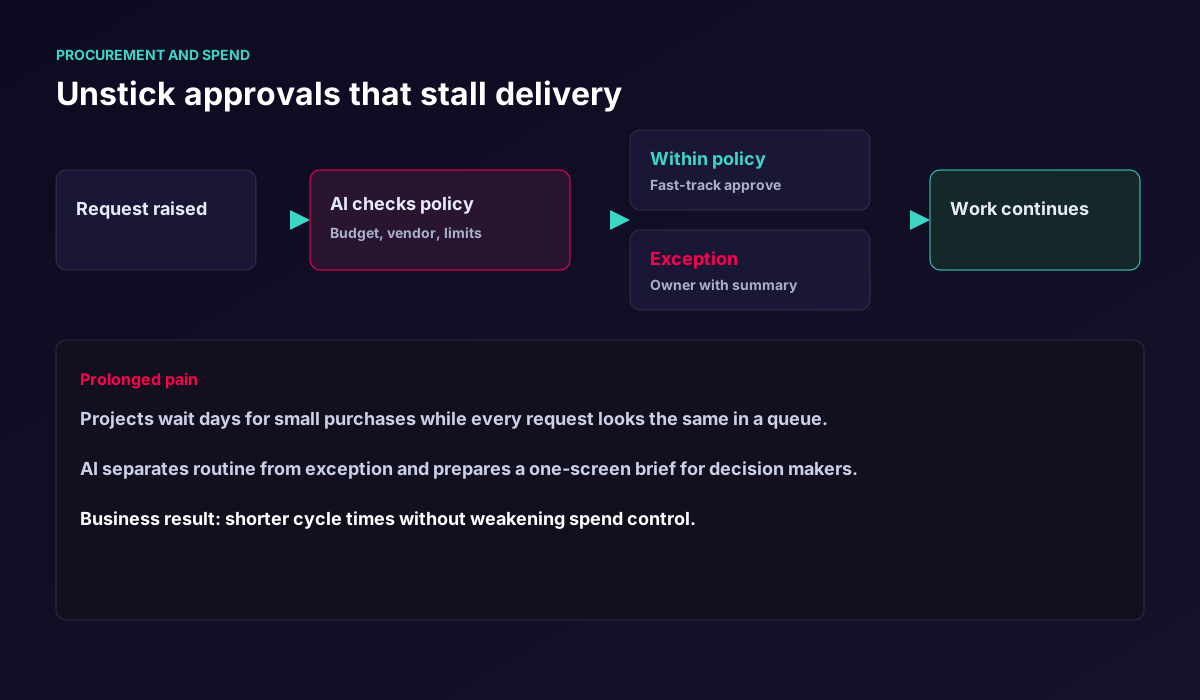
Procurement workflow: separate routine from exception so delivery keeps moving Operations continuity
End the tribal-knowledge tax on every handoff
- The prolonged pain
- Shift changes and holiday cover restart from scratch because context lives in one person's head.
- How AI helps
- Automation turns tickets, notes, and systems into a short handoff brief the next owner can trust in minutes.
- Business result
- Fewer restarts, fewer surprises, smoother coverage across the week.
- Work is in progress across tools
- AI builds a status, risk, and next-step brief
- Incoming owner reads one clear pack
- Coverage continues without dropped balls
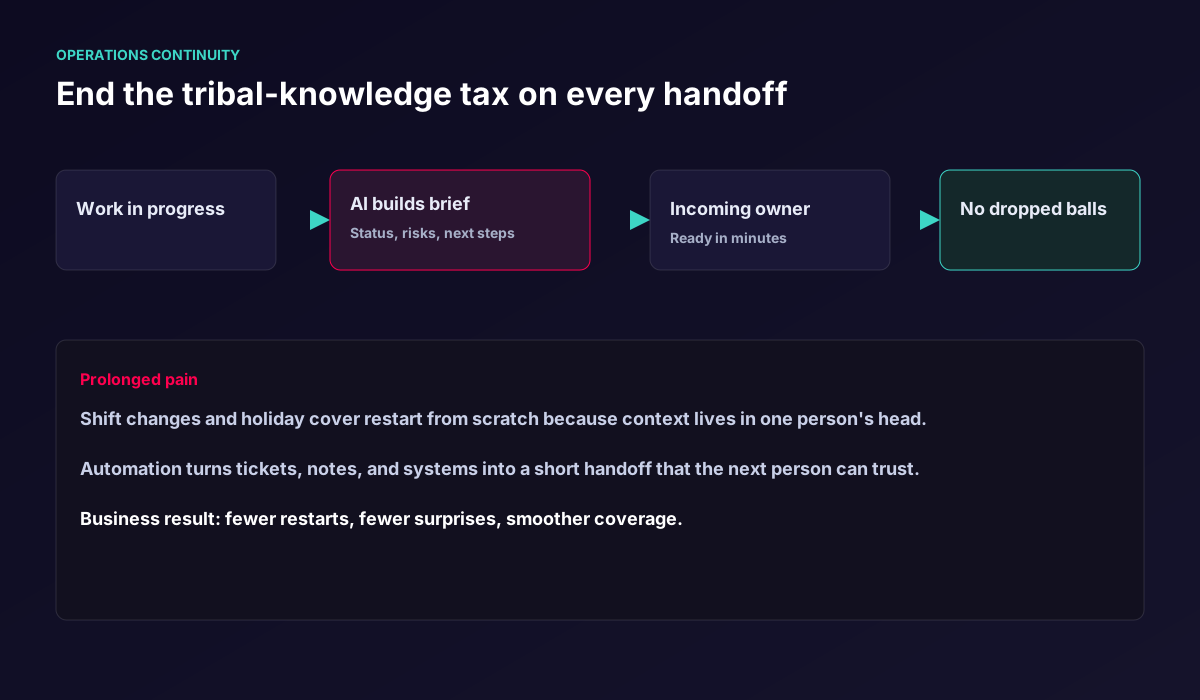
Continuity workflow: turn scattered context into a handoff people can trust
Who this service is for
Leaders who want less firefighting and more capacity — without betting the brand on unchecked automation.
Teams stuck in repetition
Less manual effort in the work that currently slows everyone down and never creates new value by itself.
Leaders who want clarity
A clearer workflow where AI improves speed and decision support instead of adding another opaque tool.
Managers who measure
Measurable gains in time savings and process quality — not vanity demos that die after the pilot.
Benefits you can explain to the board
Plain outcomes — not a technology shopping list.
Less manual effort
Cut the expensive repetition that burns specialist hours and never creates new value by itself.
Clearer workflows
AI classifies, drafts, or routes — while rules and people stay in charge of risk and brand-critical moments.
Measurable impact
Time saved, fewer mistakes, shorter customer waits, and more capacity for judgment and creative work.
A stronger operating foundation
You leave with a better journey and technical base than a one-off deliverable or a disconnected experiment.
Humans stay in control where it matters
Speed without gambling the brand. Routine work can move quickly; high-impact decisions stay with people.
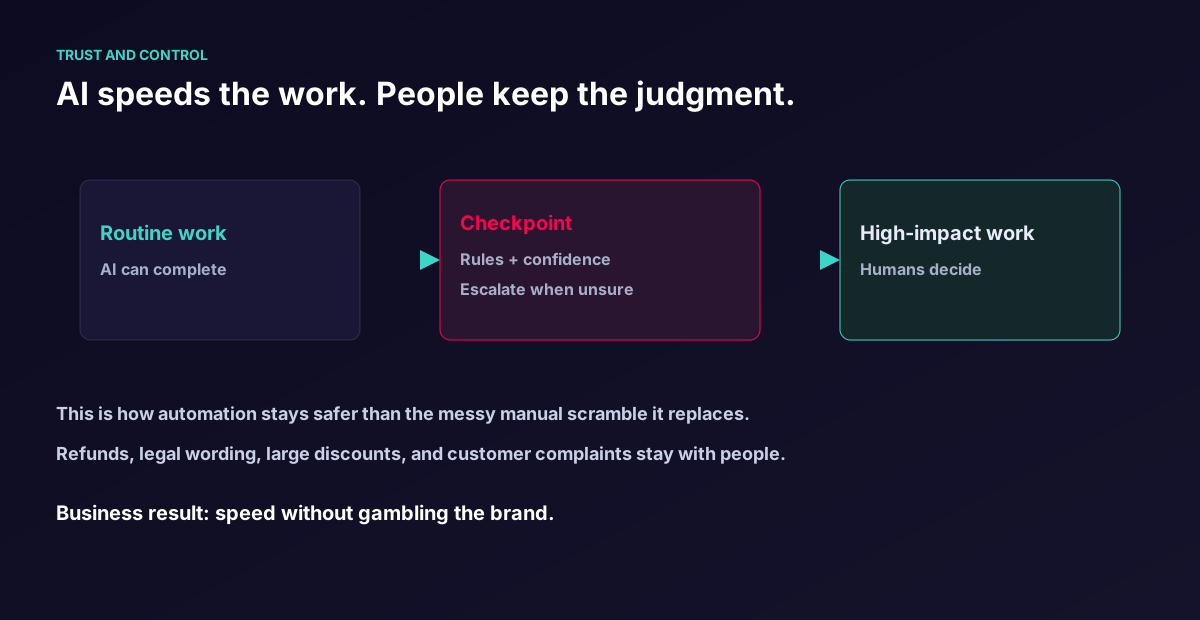
Routine work completes
Sorting, drafting, reminders, and checklist chasing move without waiting for someone to free up an hour.
Checkpoints catch risk
Rules and confidence thresholds escalate refunds, legal wording, large discounts, and complaints.
Judgment stays human
Automation should feel safer than the messy manual scramble it replaces — not louder or riskier.
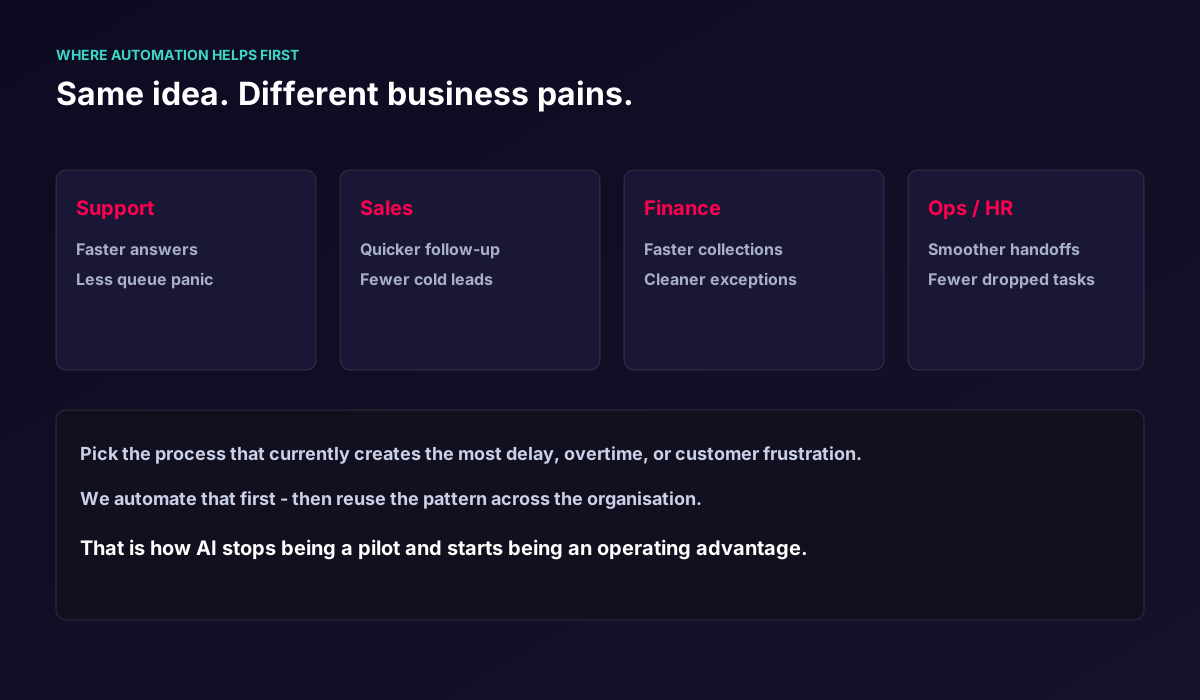
Same idea. Different business pains.
Pick the process that currently creates the most delay, overtime, or customer frustration. We automate that first — then reuse the pattern across the organisation.
Outcomes teams feel within one process
We measure what leadership can trust — not vanity activity.
Faster response
Customers and internal requesters get a clear next step sooner.
Fewer dropped balls
Follow-ups, reminders, and handoffs stop depending on memory alone.
Calmer capacity
Specialists spend more hours on judgment and less on sorting and chasing.
Visible progress
Status becomes clear without another round of status meetings.
How the work usually starts
No vague AI roadmap. One painful process, one clearer flow, one set of numbers leadership can trust — then we expand.
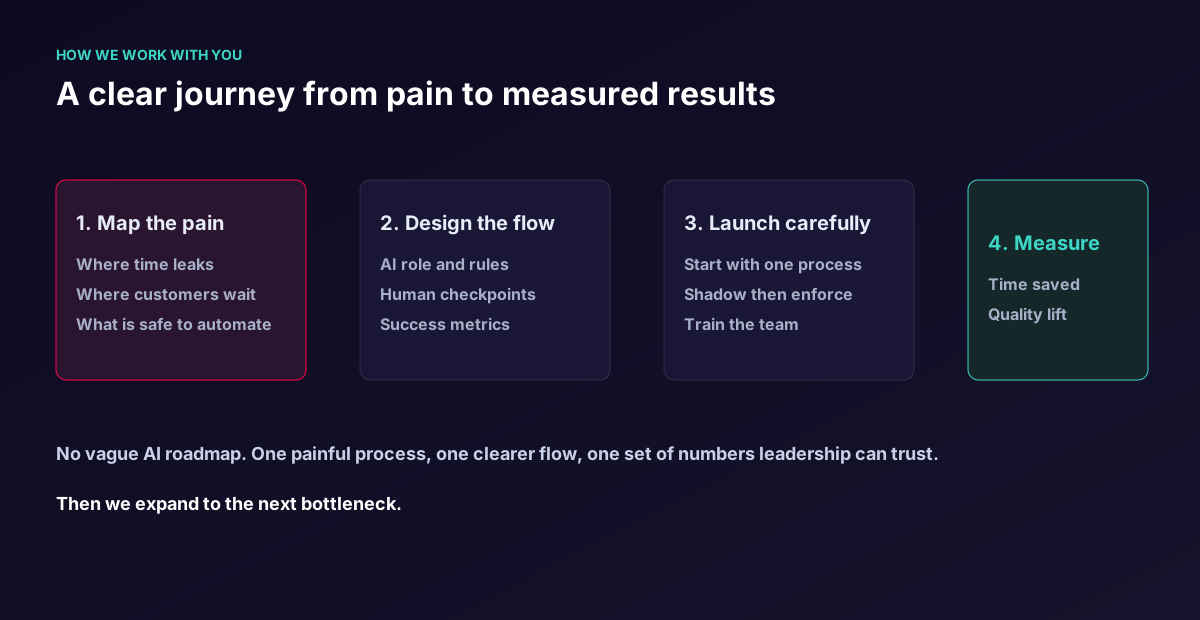
Map
We map which steps are repetitive, manual, and realistically automatable — and where customers or cash currently wait.
Design
We design the workflow, rules, and AI role so the result stays controlled, measurable, and reliable.
Integrate and measure
We connect the tools, launch carefully, train the team, and measure impact in the real process.
When this is the right next step
- The current setup no longer supports the business goal well enough — volume still means more manual checking.
- There are many decisions but no clear structure or next step when work arrives.
- You need execution that goes beyond an idea, a slide deck, or a single disconnected deliverable.
- The team is growing but the work is not getting lighter because repetition still scales with demand.
- Leadership wants measurable capacity back without gambling brand trust on unchecked automation.
Common questions
Does AI automation always mean a chatbot or agent?
No. Often the biggest impact comes from background workflows where AI classifies, drafts, or routes information — without a chat window at all.
How do you reduce the risk of AI mistakes?
We define clear rules, validation points, and human review where the cost of error is too high. Automation should feel safer than the manual scramble it replaces.
Which process should we automate first?
Start with the pain that creates the most delay, overtime, or customer frustration — usually support triage, follow-ups, collections, approvals, or handoffs. One clear win builds trust for the next.
Do we need a long brief to start?
No. A short description or a link to the current process is enough. If timing is critical, mention it and we will say what timeline is realistic.
Tell us what feels heavy
You do not need a long brief. Describe the process that burns time or trust — or send a link — and we will respond with a practical next step.